
How to Purchase & Verify Your Tracking Phone Number
Setting up your dedicated business phone number is the single most important first step to activating 24/7 AI call answering for your home service business. This instructional guide walks you through every click needed to select your area code, reserve your number, and complete carrier identity verification in minutes.
Step-by-Step Guide: Selecting, Reserving & Verifying Your Business Number
Follow these step-by-step instructions with screenshot guidance directly from your portal dashboard:
Step 1: Log In & Go to Settings
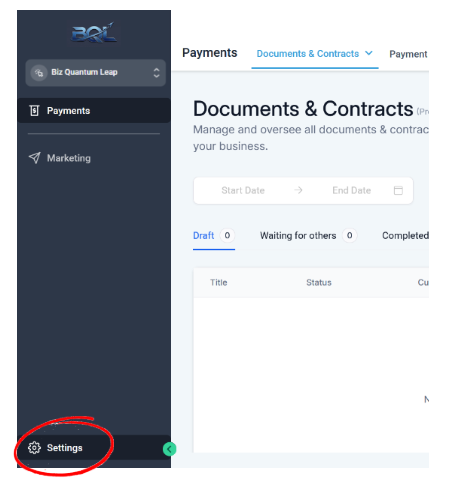
Open your browser and log in to https://app.bizquantumleap.com with your account credentials. In the primary navigation bar on the left, scroll down towards the bottom and click on Settings (gear icon).
Step 2: Navigate to Phone System
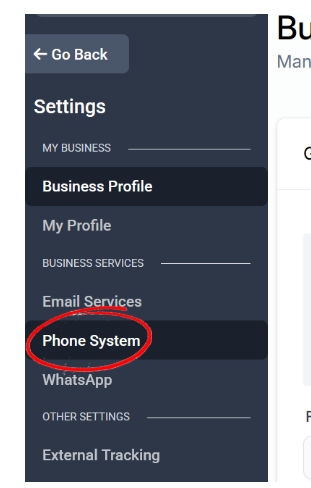
In the secondary Settings menu, scroll down to the Business Services section and click on Phone System to manage your numbers and calling settings.
Step 3: Click Add Phone Number
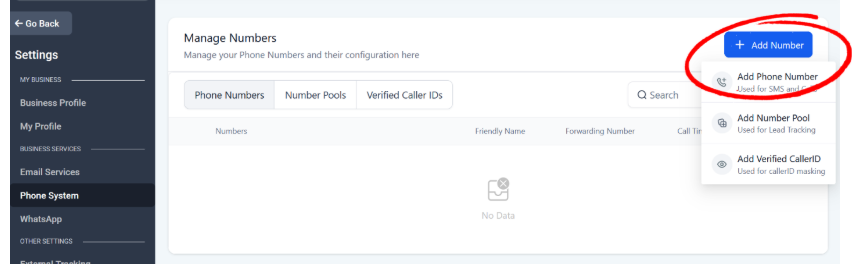
Click the blue 'Add Number' button at the top right of the Phone Numbers tab, and select 'Add Phone Number' from the dropdown menu.
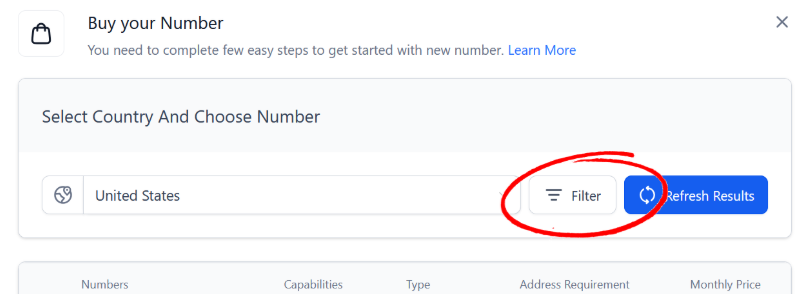
Step 4: Open Search Filters
In the pop-up modal, click the Filter button to open the area code and capability options.
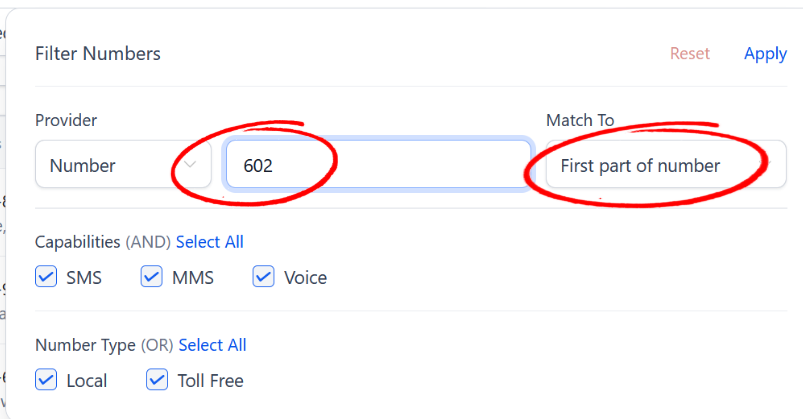
Step 5: Filter by Local Area Code
In the Number input field, enter your area code. Under the Match To dropdown, select 'First part of number'. Ensure SMS, MMS, and Voice are checked under Capabilities, and Local is selected under Number Type, then click Apply. (Choose whichever area code looks best for your business).
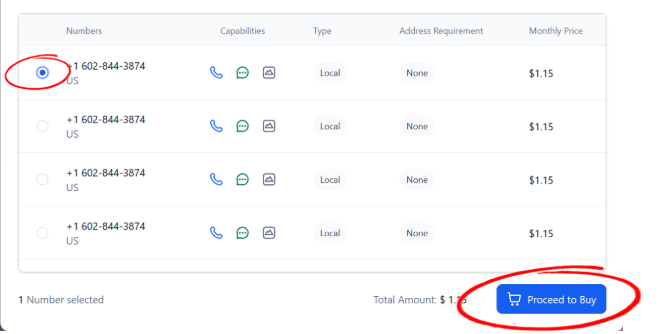
Step 6: Select & Reserve Your Number
Browse the available local numbers returned, choose your preferred phone number, and click 'Proceed to Buy'.
Zero Cost Guarantee
Clicking 'Proceed to Buy' in the portal will not charge your account or credit card. Biz Quantum Leap pays for and provides this phone number as part of your service.
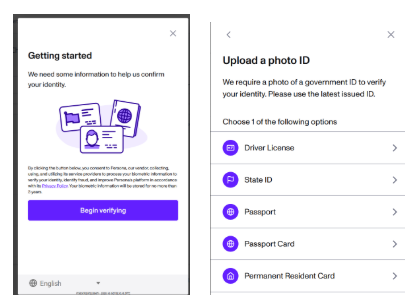
Step 7: Verification Process
Proceed with the verification process below. You will need a US government ID for this step.
Run into a snag during setup?
Our team sets up and configures everything for you. If you hit any trouble reserving your number or completing verification, reach out to your Biz Quantum Leap specialist and we'll get you sorted right away.
Keep reading
Why an AI receptionist beats a real one (and where it works beside one)
An AI receptionist never calls in sick, never takes a lunch break, and never gets rattled by an angry caller. Here's how it stacks up against a human — and where the two work best together.
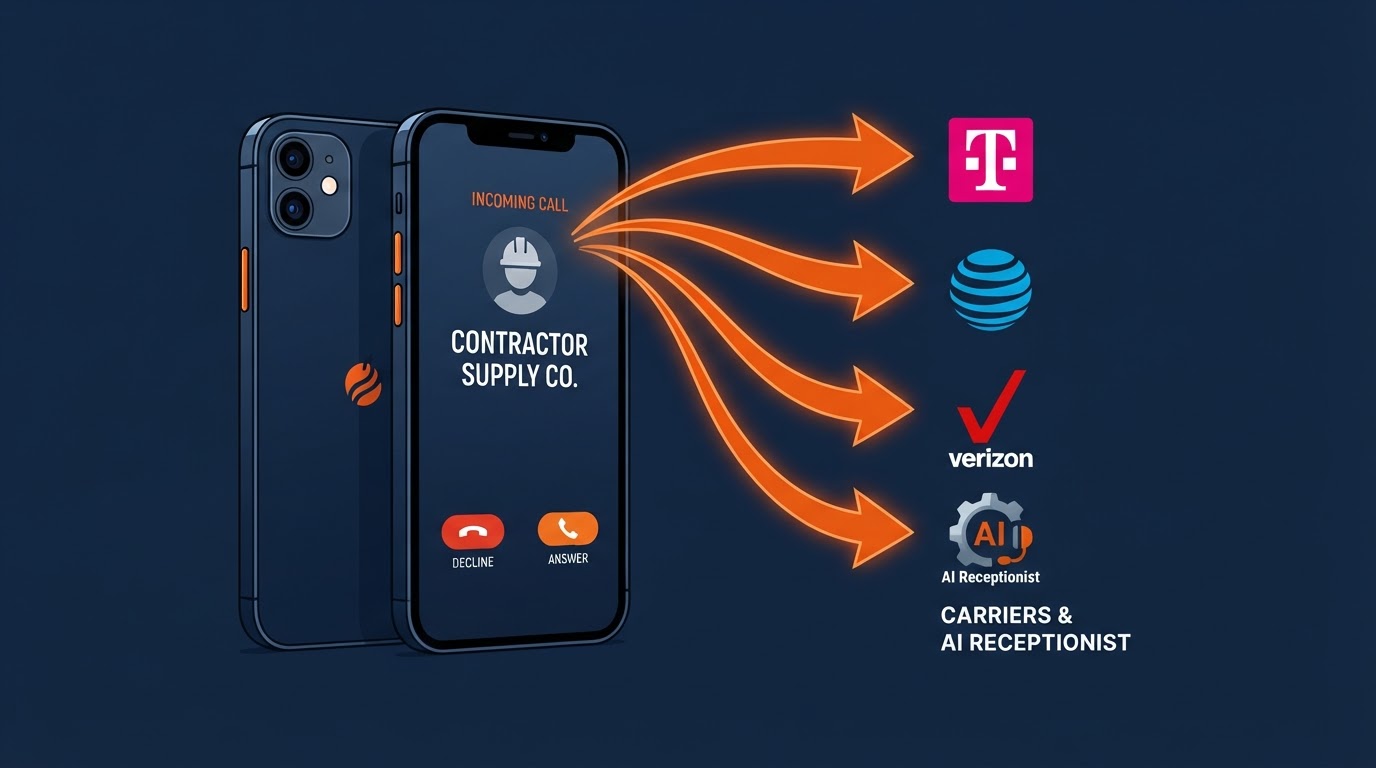
How to Set Up Call Forwarding on AT&T, Verizon & T-Mobile
A simple, step-by-step guide for non-tech owners to forward customer calls from AT&T, Verizon, T-Mobile, and more straight to your tracking number or 24/7 AI receptionist.
What is a tracking number, and why your AI receptionist needs one
A tracking number is the quiet piece behind the scenes that lets you see where every call comes from and lets your AI receptionist pick up every one. Here's how it works, in plain English.